Wedding Planning·15 min read

How to Collect Wedding Photos from Guests: A Complete Guide

Your wedding day flies by in a blur of joy, tears, and celebration. When it's over, you're left with the professional photos: beautiful, perfectly lit, magazine-worthy shots. But what about the other 500+ photos your guests took? The candid moments your photographer missed, the dance floor at midnight, the getting-ready shots your bridesmaids snapped?Those photos are scattered across 50+ phones, and most of them will never be sent to you unless you make it easy.
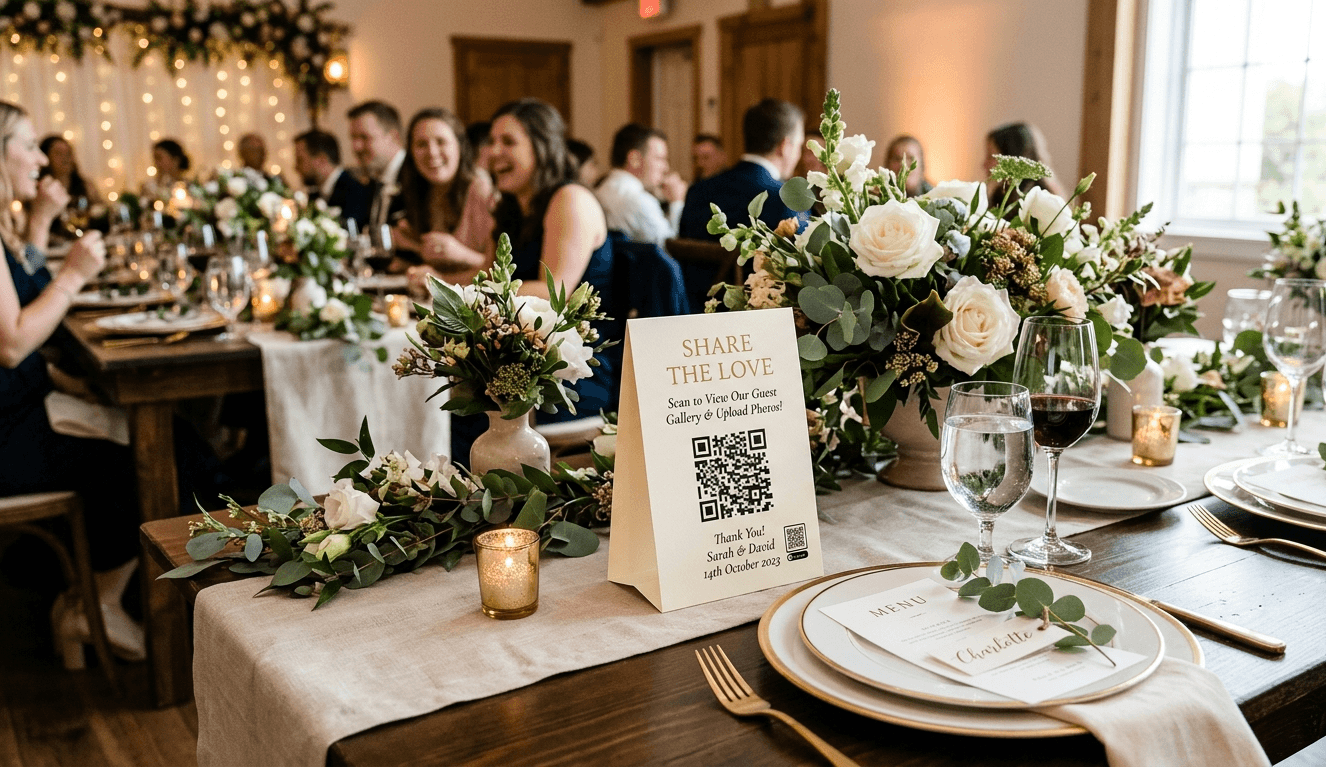
Wedding reception table with a QR code photo sharing sign surrounded by floral arrangements and guests in the background
I built PicStashio after my brother's destination wedding in Maui. He'd paid for one of the popular photo-sharing apps, and honestly? It felt dated: clunky upload flow, confusing UI, the kind of thing you tolerate but don't enjoy. As a software engineer, I kept thinking: this should be so much better than it is. So I built it.This guide will walk you through everything you need to know about collecting wedding photos from guests, including what works, what doesn't, and how to actually get those photos without losing your mind.

Ready to collect every photo from your wedding?

Why Traditional Methods Fall Short

Let's be honest about the old ways of collecting wedding photos:

The Facebook event method

The pitch: "Just create a Facebook event and have everyone upload their photos!"The reality:Not everyone has Facebook (or uses it anymore)Guests forget to uploadPhotos are compressed and lose qualityNo organization by person or timePrivacy concerns (who can see what?)

The Google Drive or Dropbox method

The pitch: "Share a folder link and let guests upload directly!"The reality:Requires guests to have an account (friction)Confusing folder structuresGuests don't know how to use itNo way to see photos in real-time during the event

The "just text or email them to me" method

The pitch: Simple, direct, personalThe reality:You'll get maybe 20% of the photosTexting full-resolution photos is painfulEmail attachments are limited in sizeNo way to bulk downloadYou'll be chasing people for months

The Instagram hashtag method

The pitch: "#SmithWedding2026 and watch the magic happen!"The reality:Photos are public (privacy concerns)Instagram compresses everythingNot everyone posts on InstagramHashtags get hijacked by spamCan't easily download all photos
All these methods add friction, require guests to remember, or sacrifice quality.

What Actually Works: A QR Code on Every Table

Here's what we've found works best for collecting wedding photos:What it takes:Zero friction for guests: No app downloads, no account creationInstant gratification: Photos appear in real-time as guests uploadFull quality: Original resolution, not compressed copiesPrivacy by default: Protected by a PIN or passwordOne central place: Everything organized automaticallyThe piece that makes it work is a QR code guests can scan on the spot.

Why QR codes work

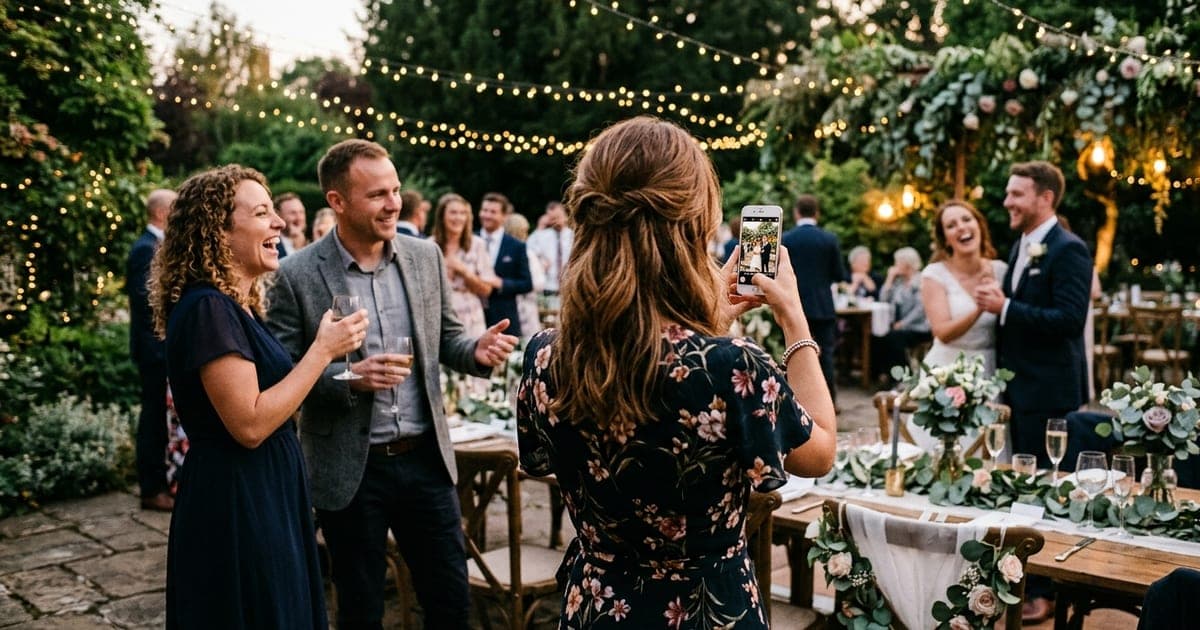
QR codes solve the #1 problem with photo collection: remembering to do it later.Instead of:Guest takes photoGoes homeForgets about itYou text them 3 weeks laterThey can't find the photo anymoreEveryone is frustratedIt becomes:Guest sees QR code at receptionScans it with their phone cameraUploads photos immediatelyDoneWhen guests are still at your wedding, they're excited and engaged. They want to share their photos. Three weeks later? They've moved on with their lives.
QR code tent card on a wedding reception table for guest photo uploads

The Step-by-Step Plan to Collect All Wedding Photos

Before the wedding: 2–4 weeks out

1. Set up your photo collection system

Whether you use PicStashio, GuestPix, or another tool, get it set up early. You'll need:A unique event link (PicStashio has free custom URLs)QR codes generated (we'll talk about displaying these next)Using PicStashio? Here's how setup works in three steps and everything it includes.Test the upload flow yourself. Take out your phone, scan the QR code, try uploading a few photos. Does it work smoothly? If you're confused, your guests will be too.

2. Design beautiful QR code displays

This is where presentation matters. A boring black-and-white QR code printed on regular paper won't cut it.Make it:Beautiful: Match your wedding aestheticClear: Large enough to scan from 3 feet awayCompelling: Tell guests why they should scan itShare Your Photos! Scan this code to upload your photos & videos. See everyone's shots in real-time! No app required • Full resolution • Private galleryWhere to display QR codes:Guest tables (one per table or tent cards)Near the entrance/welcome signAt the bar (people check their phones here)Near the dance floorIn restrooms (seriously, people check phones here too)On the back of ceremony programsDesign options:PicStashio: design table cards, letter signs, 18×24″ welcome signs, and take-home cards in the app. Your event's QR code and colors are added automatically, and you download a print-ready PDFSome competitors offer Canva integrations with pre-made templates (GuestPix has 180+)Hire a designer on Fiverr ($20-50)Print on elegant cardstock or acrylic signsMatch your wedding colors and fonts

3. Brief your wedding party

Your bridesmaids, groomsmen, and close friends are your evangelists. Tell them:Where the QR codes areHow to scan and uploadAsk them to encourage other guests"Hey! Make sure you scan the QR code at your table to share your photos. It's so easy and we can all see them in real-time!"

On the day

4. Make an announcement

During cocktail hour or early reception, have your DJ or MC make a quick announcement:"Before we get started, the couple would love to see all of your photos from today! You'll find QR codes on each table. Just scan with your camera, no app needed. Let's fill up that gallery!"Keep it brief (15-20 seconds max), but make sure everyone hears it.

5. Lead by example

Have your wedding party upload photos first. When guests see the gallery filling up with fun photos, they'll want to contribute too.An empty gallery feels awkward to be the first to post in. A gallery with 20 fun photos already? Everyone wants to join in.Put it on a screen. If your tool has a live slideshow, run it on a TV or projector at the reception. Guests watch for their own shots to appear, then go take more. PicStashio's live slideshow shows new photos seconds after they're taken.

After the wedding

6. Send a thank you reminder (1-3 days later)

Send a message to all guests with the QR code or direct link:"Thank you so much for celebrating with us! We'd love to see any additional photos you took. Here's the link to upload: [LINK]. Everything is private and we'll download all photos to keep forever. Thank you!"

7. Follow up with key people (1 week later)

Text specific people you know took lots of photos:Your best friend who was snapping everythingThe uncle with the fancy cameraThe cousins who were always on their phones"Hey Sarah! We saw you taking some amazing photos at the reception. Would you mind uploading them to our gallery? [LINK] Thank you!!"

8. Set a deadline (2-3 weeks later)

Send one final reminder with a gentle deadline:"Final call for photos! We're collecting all the photos from our wedding into one place to download and treasure forever. Please upload any photos you have by [DATE]. Link: [LINK]. Thank you for being part of our special day!"Without a deadline, "I'll do it later" becomes "never." A specific date creates urgency.

Once collection closes

9. Download everything

Once you've collected all photos, download them immediately:Bulk ZIP download (if available)Organize by person/timeBack them up to multiple places (Google Photos, iCloud, external hard drive)Every service takes events down eventually, and some do it within a few months. Check your tool's window, and download and back up as soon as collection closes.

10. Create a highlights album

Pick the best 50-100 photos (professional + guest photos) and create a shareable album for family. This is also great for:Thank you cardsAnniversary postsHoliday cards next year

Common Mistakes to Avoid

Waiting until after the wedding to set up photo collection: By then, the moment is gone. Guests have moved on.Only putting QR codes in one location: People won't go searching for it. Put them everywhere.Making it complicated: "Download this app, create an account, verify your email..." = no one will do it.Not testing the upload process: If it doesn't work smoothly on your phone, it won't work for your guests.Forgetting to announce it: Assume no one reads signs. Tell people verbally.Not following up: Most photos arrive on the day. The rest only come in after a personal nudge.Letting the event expire before downloading: Back up your photos as soon as collection closes.

What to Look for in a Photo Collection Tool

If you're comparing options ( PicStashio, GuestPix, or others), here's what matters:

Must-haves

QR code generation: Makes uploading effortlessNo app required: Guests can upload from mobile webFull resolution: Original quality, not compressedReal-time gallery: Photos appear instantlyPrivate/password-protected: Not publicBulk download: ZIP download of everythingWorks on all devices: iPhone, Android, desktop

Nice-to-haves

Video support: Not just photosReactions/likes: Let guests react to photosMultiple events: If you have multiple wedding eventsBranded design: Customize to match your weddingPrintable QR templates: Customize signs in-app with your real QR code and export a print-ready PDF (PicStashio includes this; some competitors use Canva instead)iOS/Android app: For hosts who prefer apps

Red flags

Requires all guests to download an appRequires guests to create accountsCompresses photos (Instagram-level quality)Expires too quickly (less than 30 days)No bulk download optionHidden costs or surprise fees

Why I Built PicStashio

Dan Broadbent, founder of PicStashioFull transparency: PicStashio is a new product. At my brother's Maui wedding, we used a photo-sharing app that my sister-in-law, a wedding planner, had paid good money for. It got the job done, but it felt dated and unintuitive. I knew there was room for something better, and nothing on the market quite nailed it.What I focused on:Zero friction: Guests scan a QR code, upload immediately, doneReal-time uploads: Photos appear instantly so guests get excited and upload moreFull resolution: No compression, no quality lossWorks on any device: Web-based, so it works on any phone and any browserLive slideshow: Guest photos on the big screen as they come inPrint-ready QR designs: Customize templates in the app with your actual QR code, then download a PDF to print, no Canva account requiredI'm early and building in the open. If something matters to you, email me at support@picstash.io.

The Bottom Line

Collecting wedding photos from guests doesn't have to be a nightmare of forgotten promises and lost memories.The formula that works:Set up QR codes before the weddingDisplay them everywhereMake an announcementFollow up 2-3 times afterDownload and back up everythingThe tools that work:QR code-based photo collection (PicStashio, GuestPix, others)No app requiredFull resolutionReal-time uploadsThe mindset that works:Make it effortless for guestsCapture the moment while it's happeningFollow up personallyBack up everything right awayYour wedding photos tell the story of your day, not just the posed, perfect moments, but the real, raw, joyful chaos of celebrating with the people you love most.Don't let those memories stay trapped on guest phones.Collect them, treasure them, and relive your wedding day for years to come.

Frequently Asked Questions

When should I set up photo collection?

2-4 weeks before the wedding. This gives you time to print QR codes, test the system, and brief your wedding party.

How many QR codes should I print?

One per guest table, plus a few at high-traffic spots: the bar, the entrance, and near the dance floor.

Will older guests know how to use QR codes?

Most iPhones and Android phones scan QR codes straight from the camera app: point and tap. Still, ask a couple of tech-savvy guests to help anyone who gets stuck.

What if someone doesn't have a smartphone?

They won't be able to upload on the spot, but you can follow up via email with a direct link after the wedding.

Can I collect videos too?

Yes, with most tools, though some put video on a higher tier or cap file sizes, so check before you choose. On PicStashio, videos go into the same gallery as photos on both plans.

How long do I have to download the photos?

It varies a lot by tool, so check before you choose. PicStashio gives you a 1-year upload window from your activation date and emails you before it ends. Even so, download and back up as soon as you've collected everything.

What about privacy?

Use a private gallery protected by a password or PIN, and share the link only with your guests, not on public social media. PicStashio galleries are PIN-protected, with the PIN built into your QR code.

How much does this cost?

Prices vary widely, from free plans to well over $100 for a single event. PicStashio is free to start, or $49 one time for unlimited uploads. Either way, it's a small part of a photography budget.

Can I use this for other events?

Yes. The same plan works for birthdays, showers, reunions, bar and bat mitzvahs, and any event where lots of people are taking photos.

Dan Broadbent

Founder, PicStashio

February 11, 2026

Dan is a software engineer who built PicStashio after his brother's Maui wedding. Guests scan a QR code, upload their photos, no app required, and everything lands in one private, full-resolution gallery. Because collecting photos from guests shouldn't require a project manager.

Couple sitting together on a couch reliving their wedding day by browsing guest photos on a laptop

Help your guests take hundreds of photos.

Then give them somewhere to put them. Set up your stash in minutes and see the whole thing working before you spend anything.